


UPERFECT 23.8' 100Hz Dual Portable Monitor 120% SRGB 360° Adjustable Dual Stacked Folding Monitor (Wins/Mac) 1080P Laptop Screen
UPERFECT 23.8' 100Hz Dual Portable Monitor 120% SRGB 360° Adjustable Dual Stacked Folding Monitor (Wins/Mac) 1080P Laptop Screen
Available in stock (296)
SPECIFICATIONS
Application: Laptop
Black and White Response Time: 14 ms
Bracket Type: Swivel Lift Bracket
Brand Name: Uperfect
Brightness: 300cd/m
Built-in Speaker: Yes
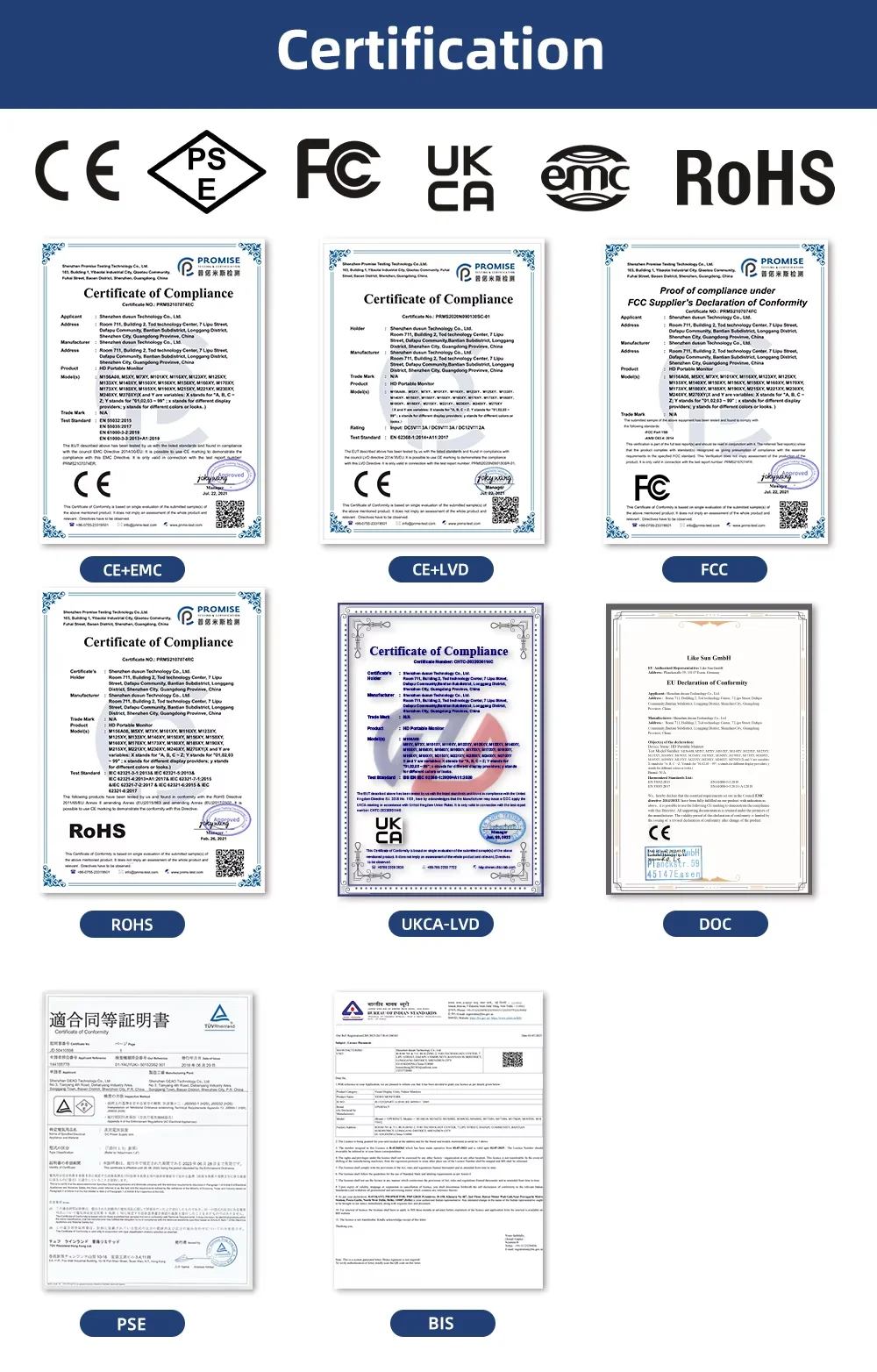
Certification: CE,FCC,RoHS,UL,pse
Contrast Ratio: 1000:1
Display Ratio: 16:9
Display Size: 23.8"
Feature: Speaker,Gaming
High-Dynamic Range: Other
High-concerned chemical: none
Horizontal Viewing Angle: 178°
Interface Type: Type-C
Matrix color depth: 8 bit
Number of Items: 1
Origin: Mainland China
Panel Type: IPS
Pixel Pitch: 0.285mm
Plug Type: EU Plug
Products Status: STOCK
Refresh Rate: 100Hz
Refresh rate sync technology: AMD FreeSync
Resolution: 1920x1080
Response Time: 12ms
Screen Type: WLED
Screen curvature: NONE
Screen surface: MATT
Shape: others
Uperfect Model: Delta
VESA (Hole spacing ): 100*100mm
VESA Screw hole specifications: M4*5mm
Vertical Viewing Angle: 178°
UPERFECT Delta 23.8" 100Hz Dual Monitor (No Driver Needed)
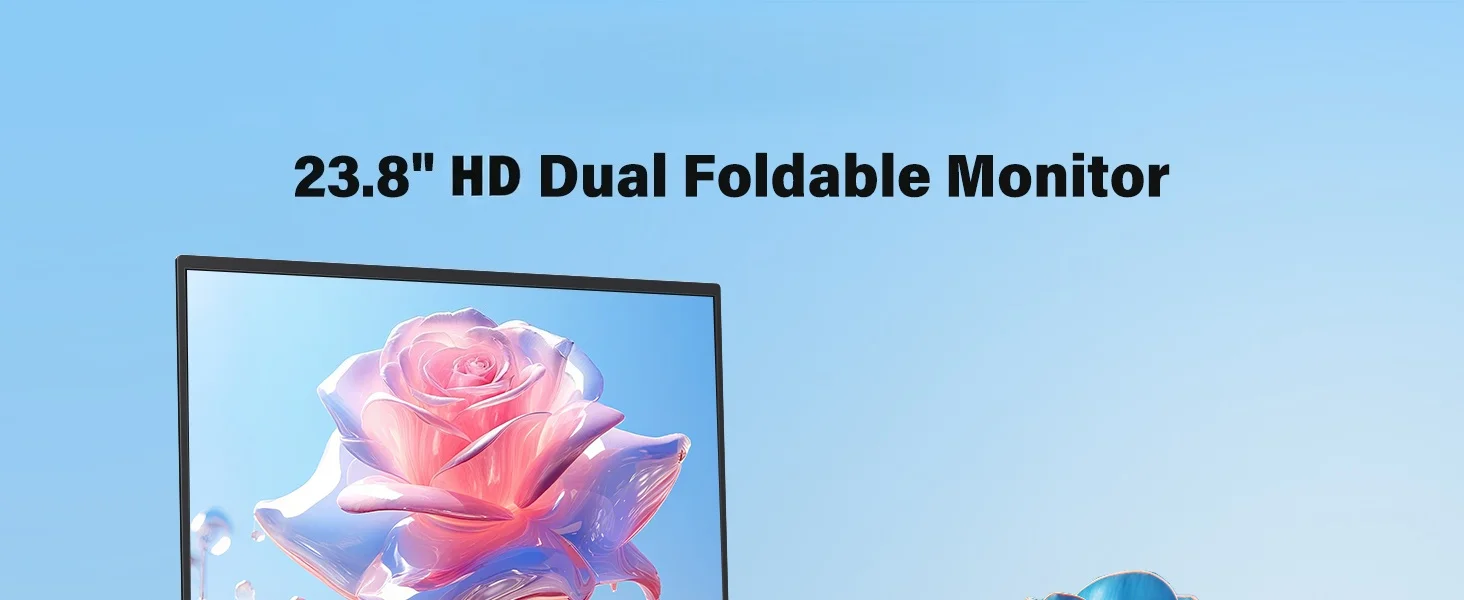
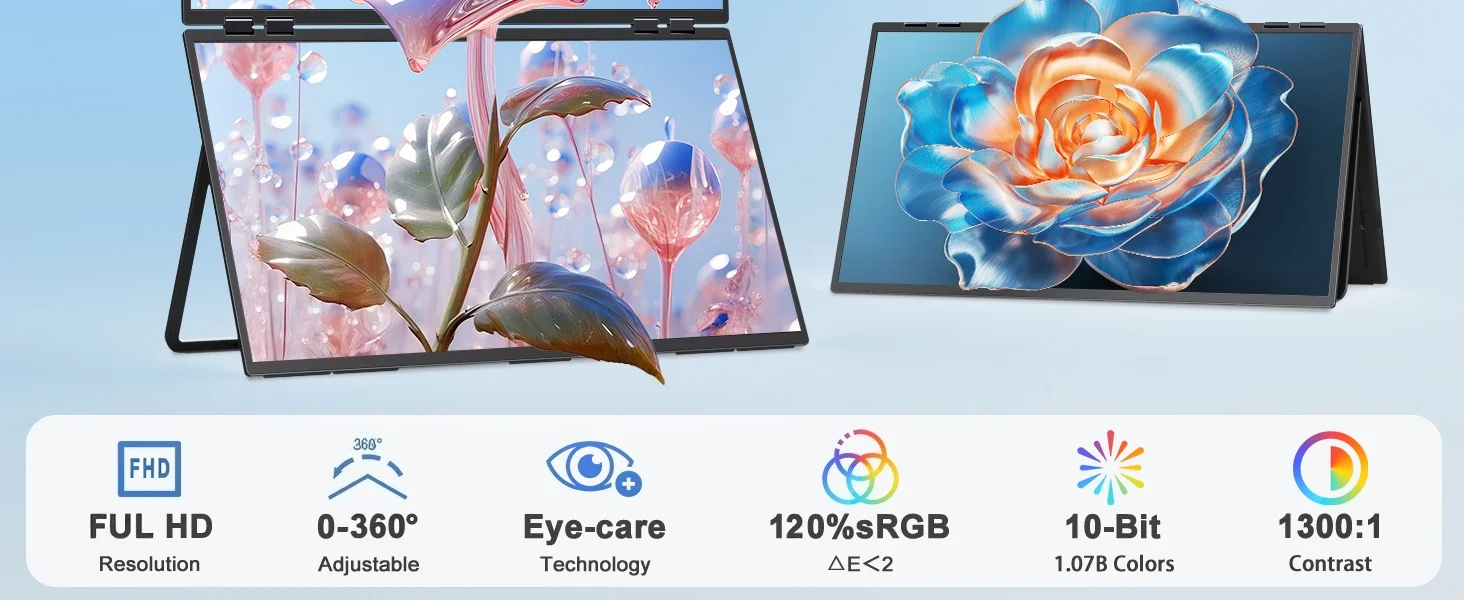
Vibrant Colors & Smooth Performance with 100% sRGB and 100Hz Refresh Rate
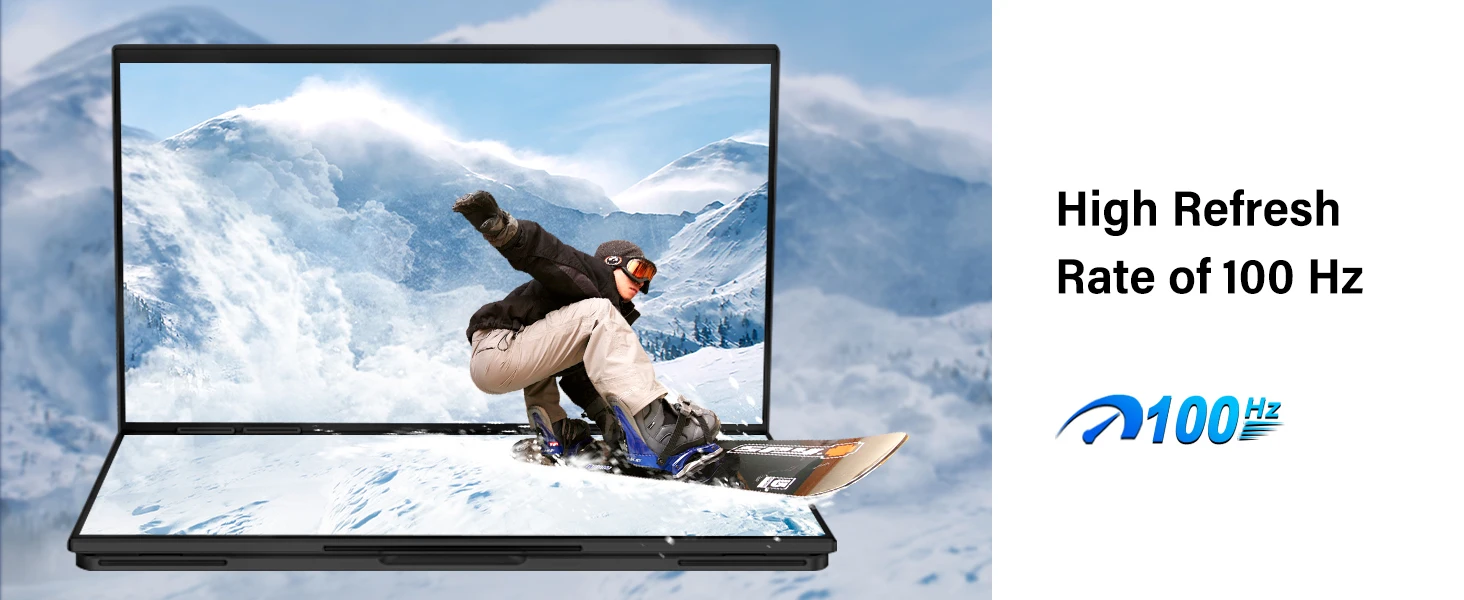
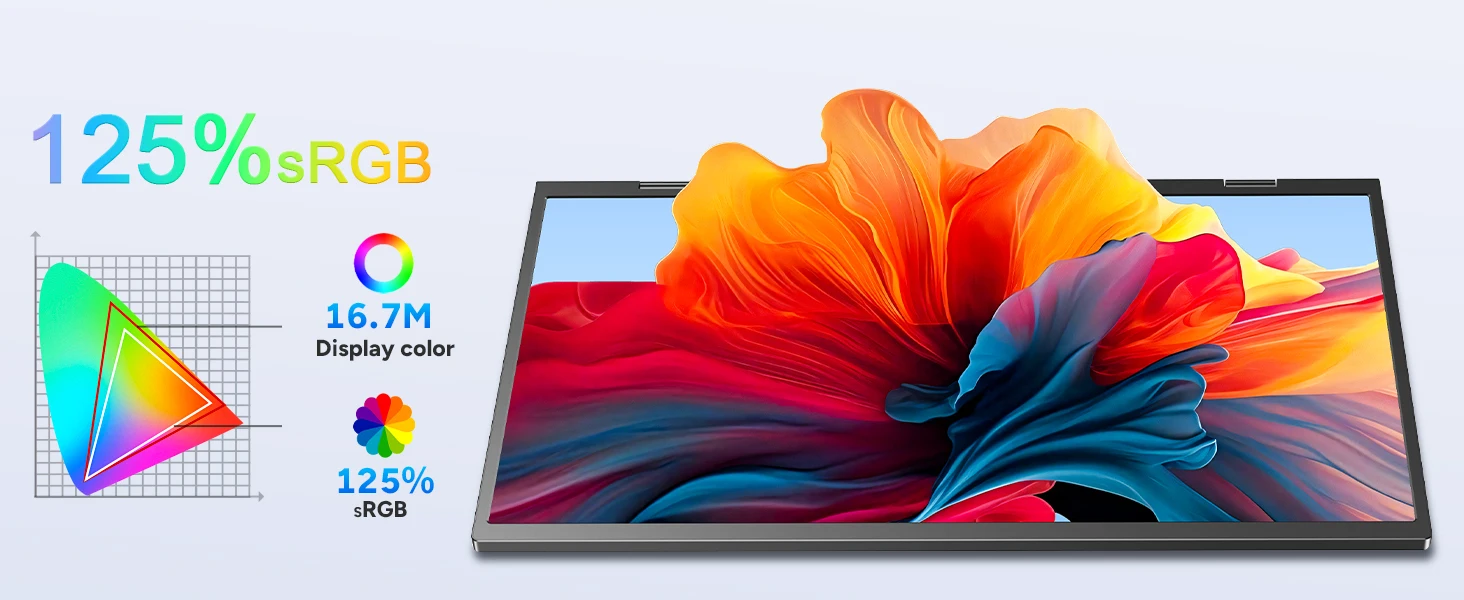
With 120% sRGB color coverage, this monitor delivers vibrant, true-to-life colors, making it ideal for graphic design, photo/video editing, and creative tasks. The 100Hz refresh rate ensures smooth performance, reducing motion blur for a better experience during gaming, fast tasks, or video editing.
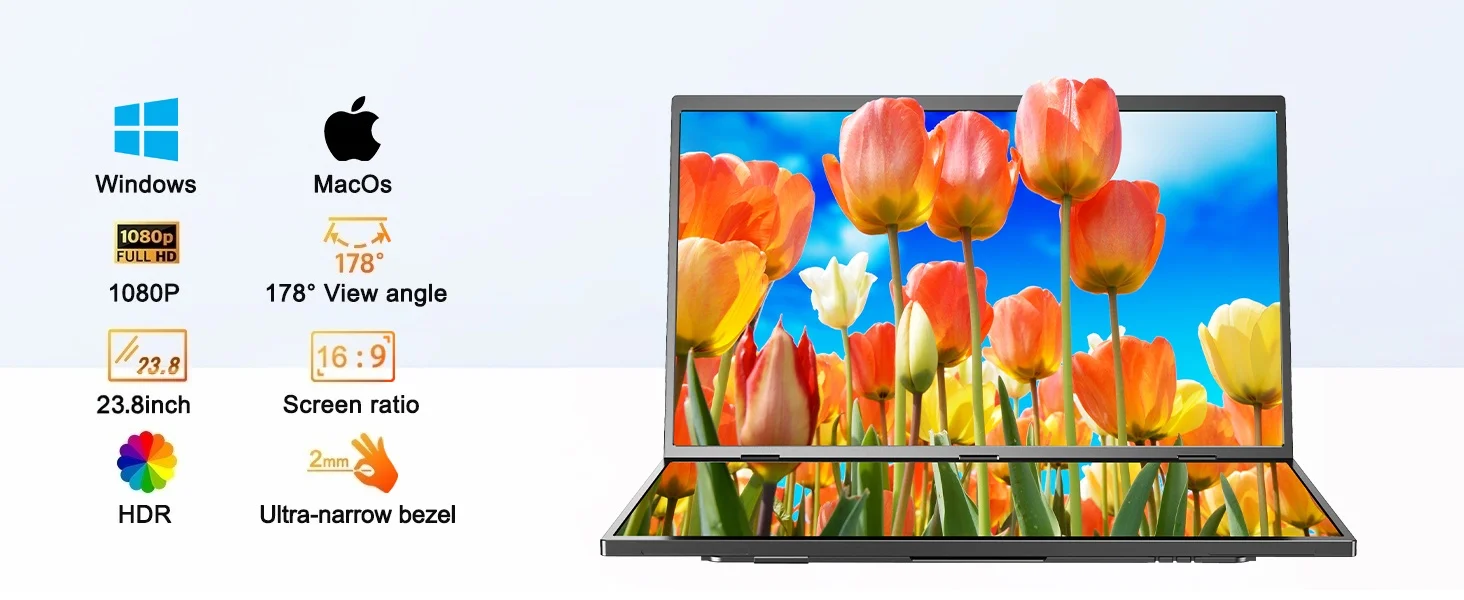

Dual-Screen Flexibility vs. Traditional Large Monitors
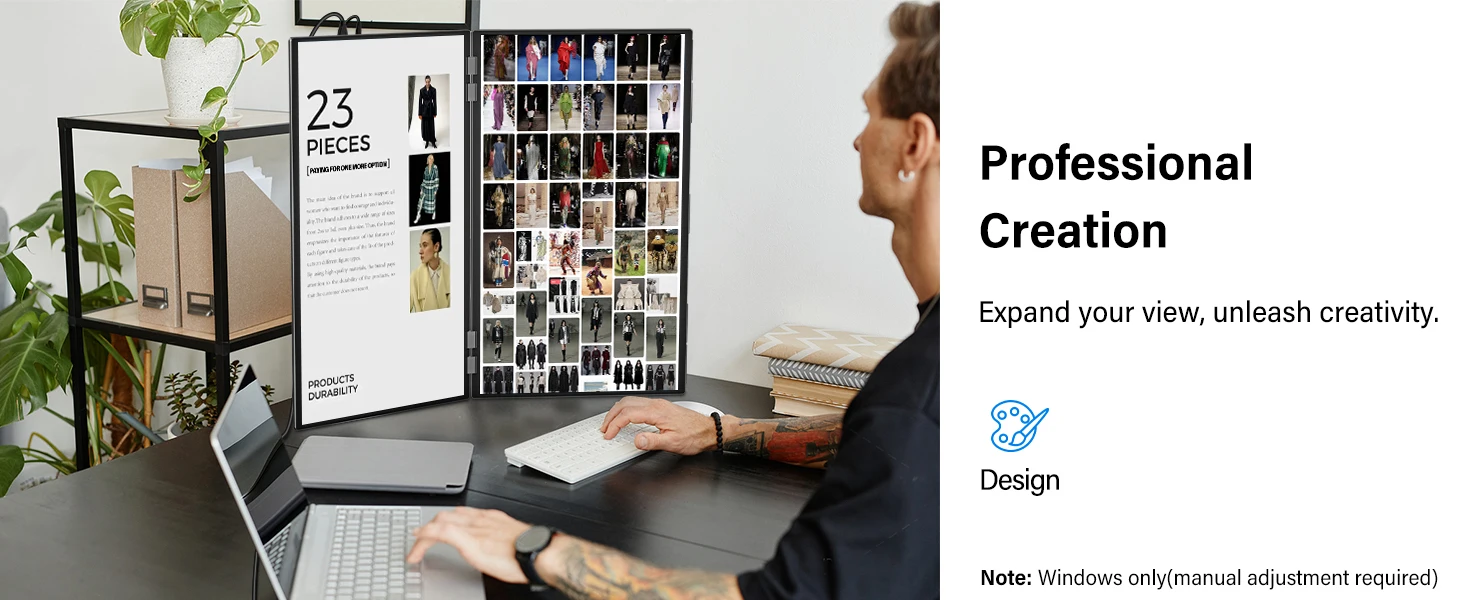
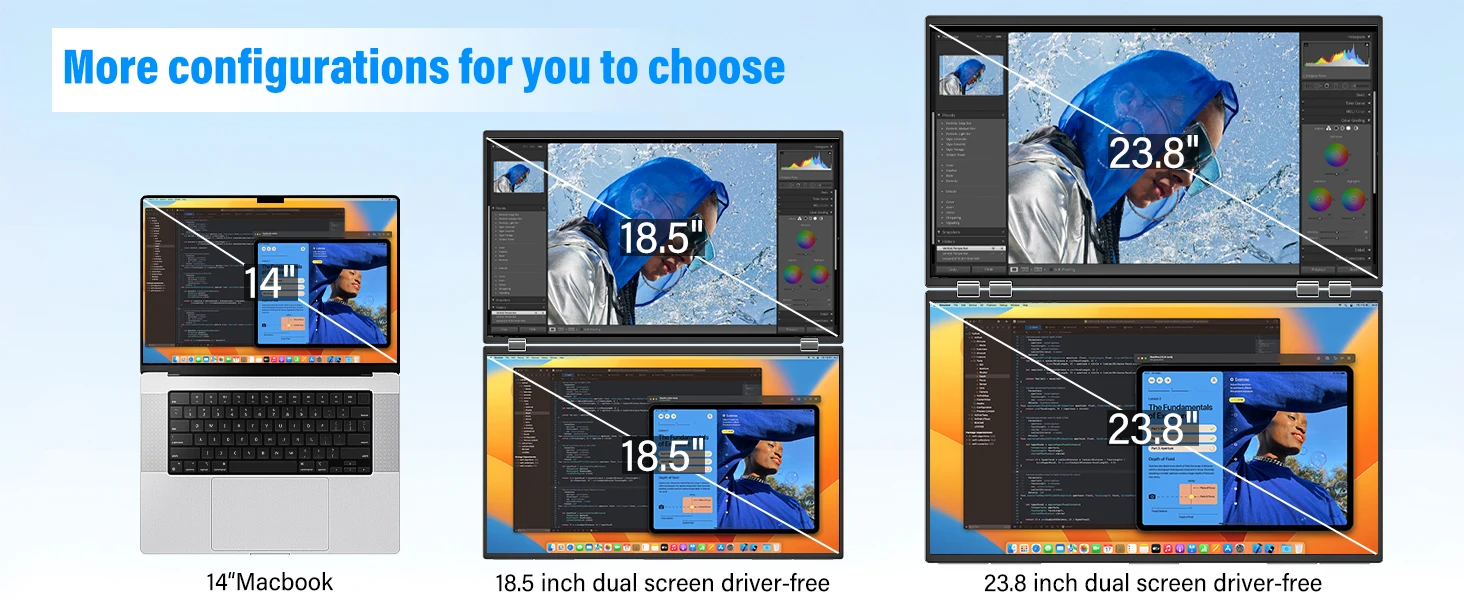
This 23.8-inch dual-screen monitor offers more screen real estate while saving desk space compared to traditional large single-screen monitors. Perfect for multitasking, work, study, and creative projects, you can view multiple apps and documents at once without cluttering your workspace.Note:Please make sure you’re powering the monitor by the original power adapter we provided in the package.


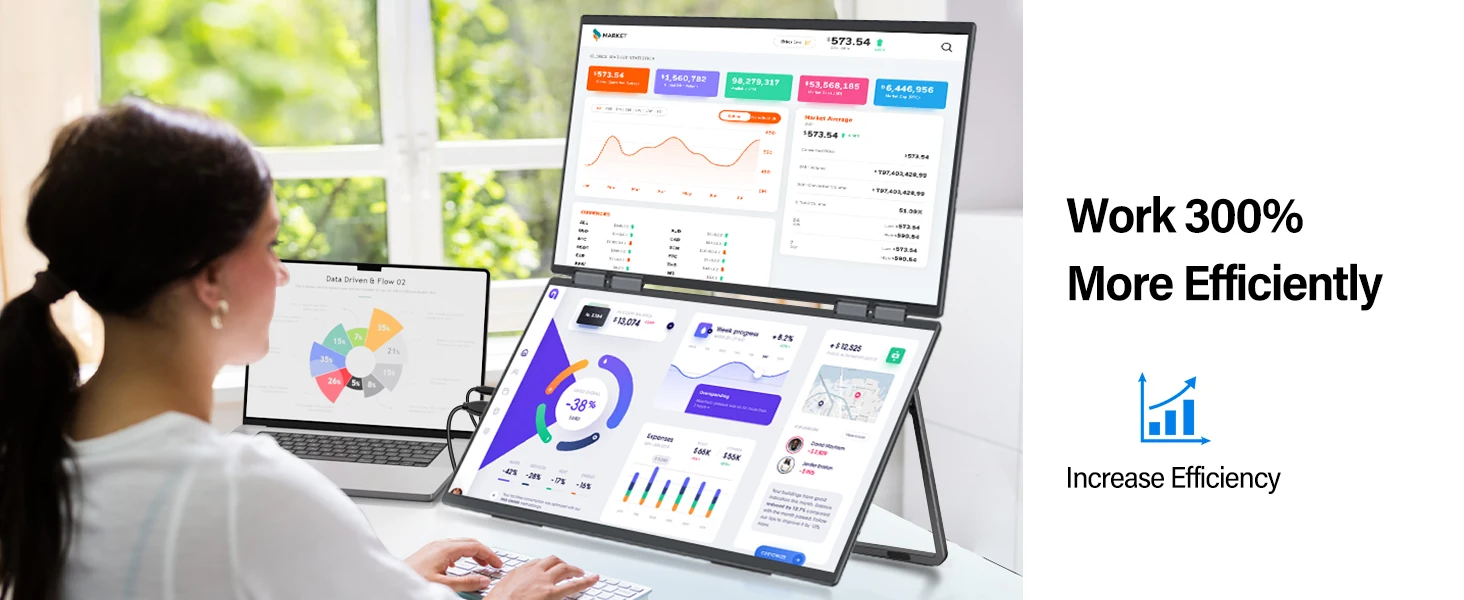
Effortless Plug-and-Play Compatibility
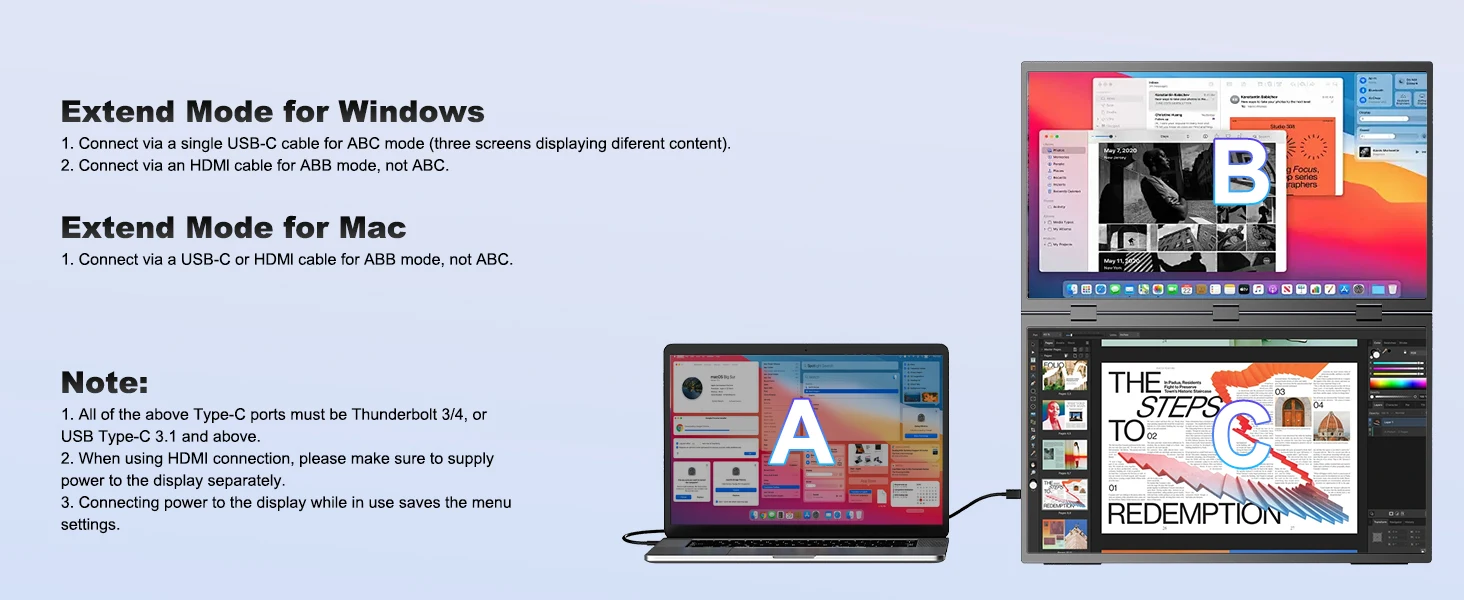
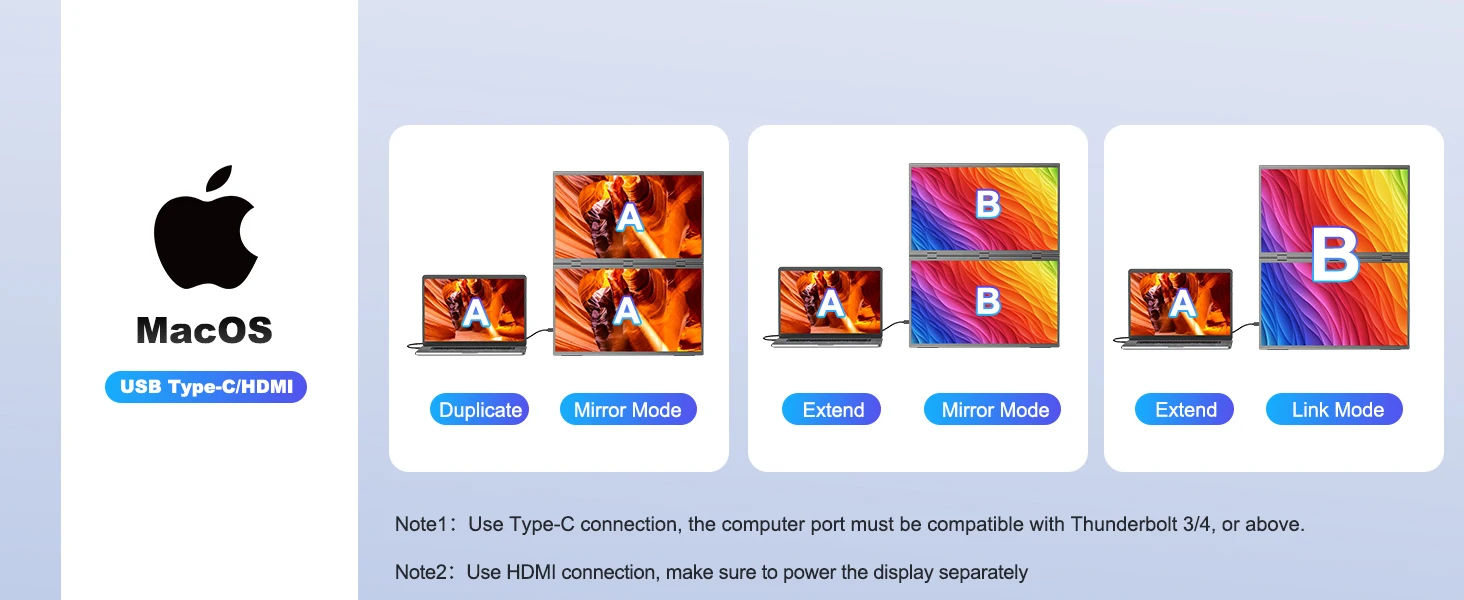
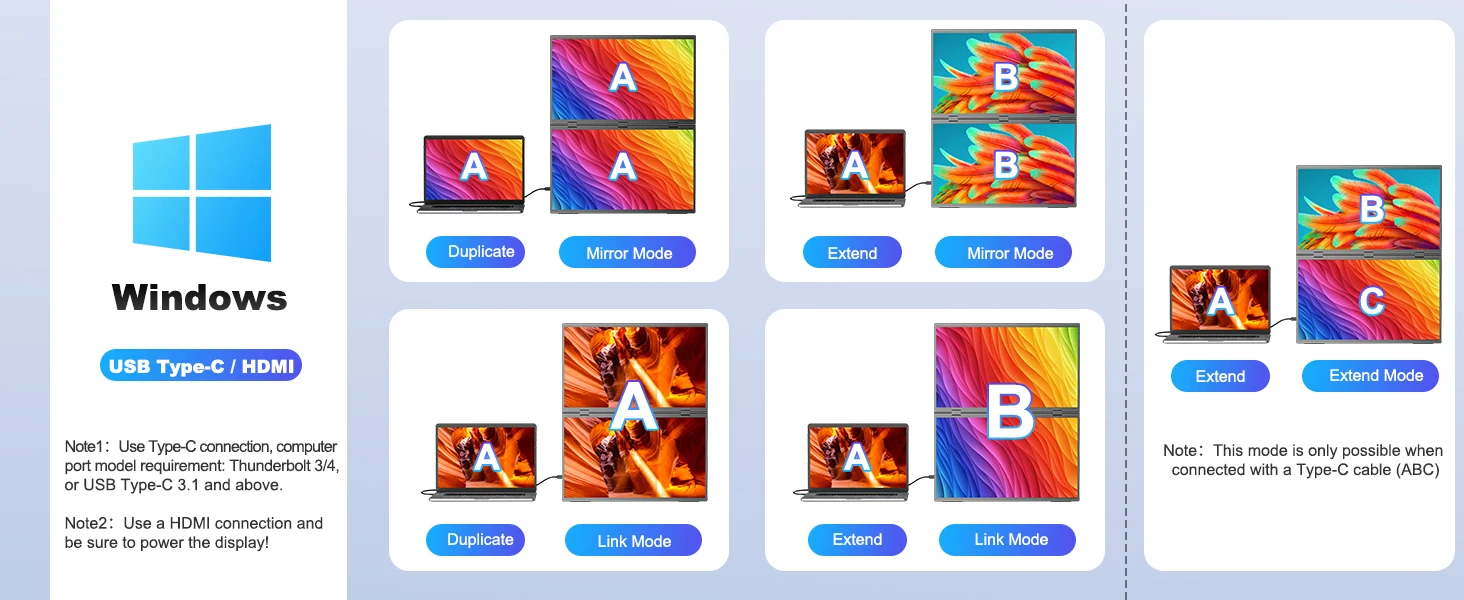
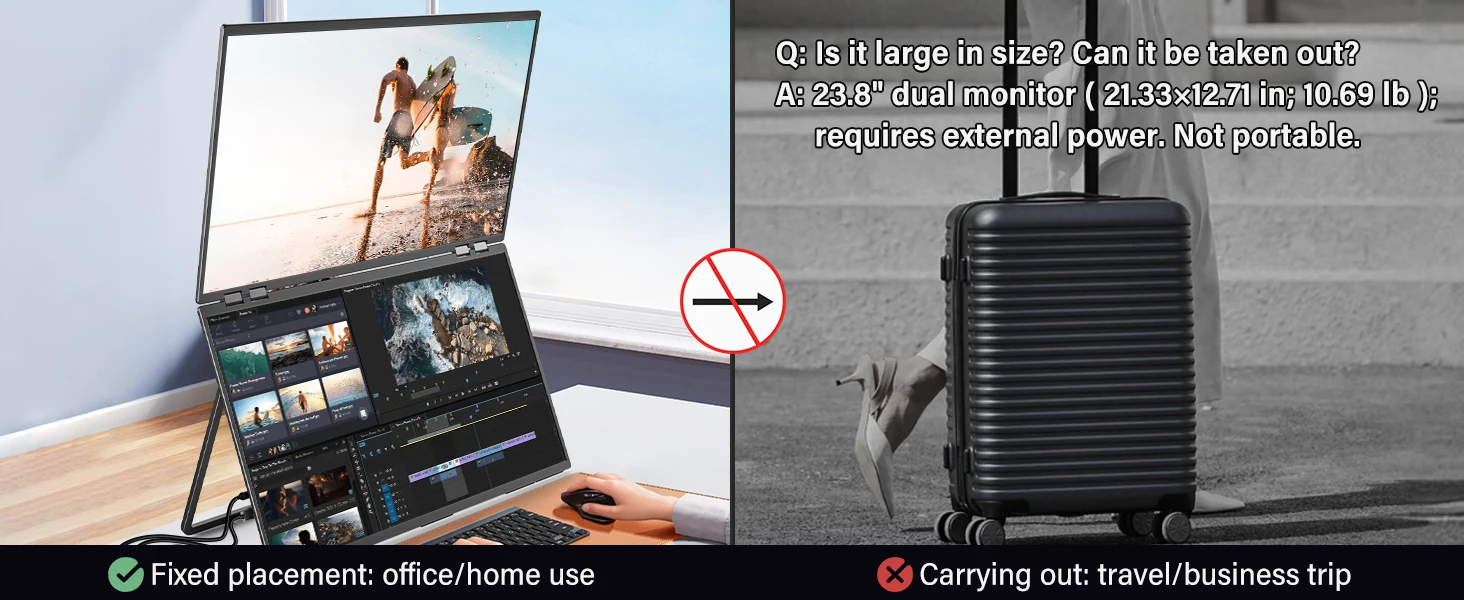
No drivers are needed—just plug and play. Compatible with both macOS and Windows systems, it supports three display modes: duplicate, extend, and splice. This versatility makes it perfect for meetings, presentations, or multitasking across different applications.Product size: 21.33*12.71*0.65 in (folded)
Adjustable Stand & VESA Mount
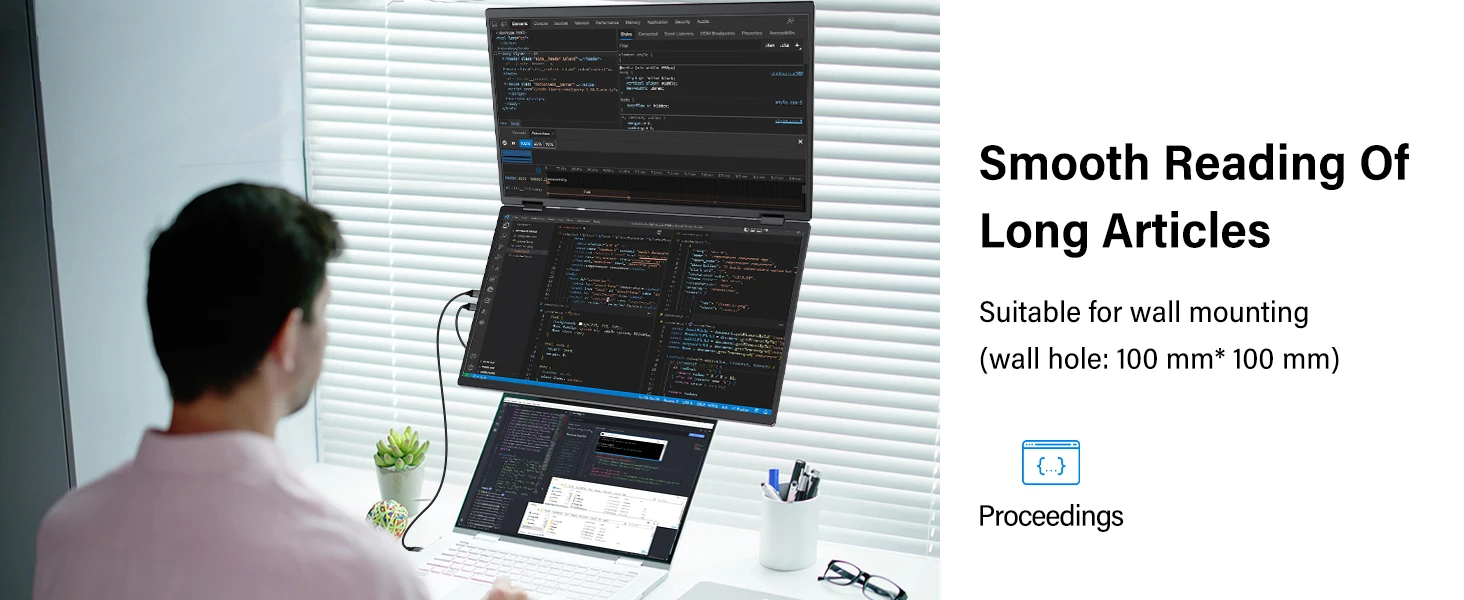
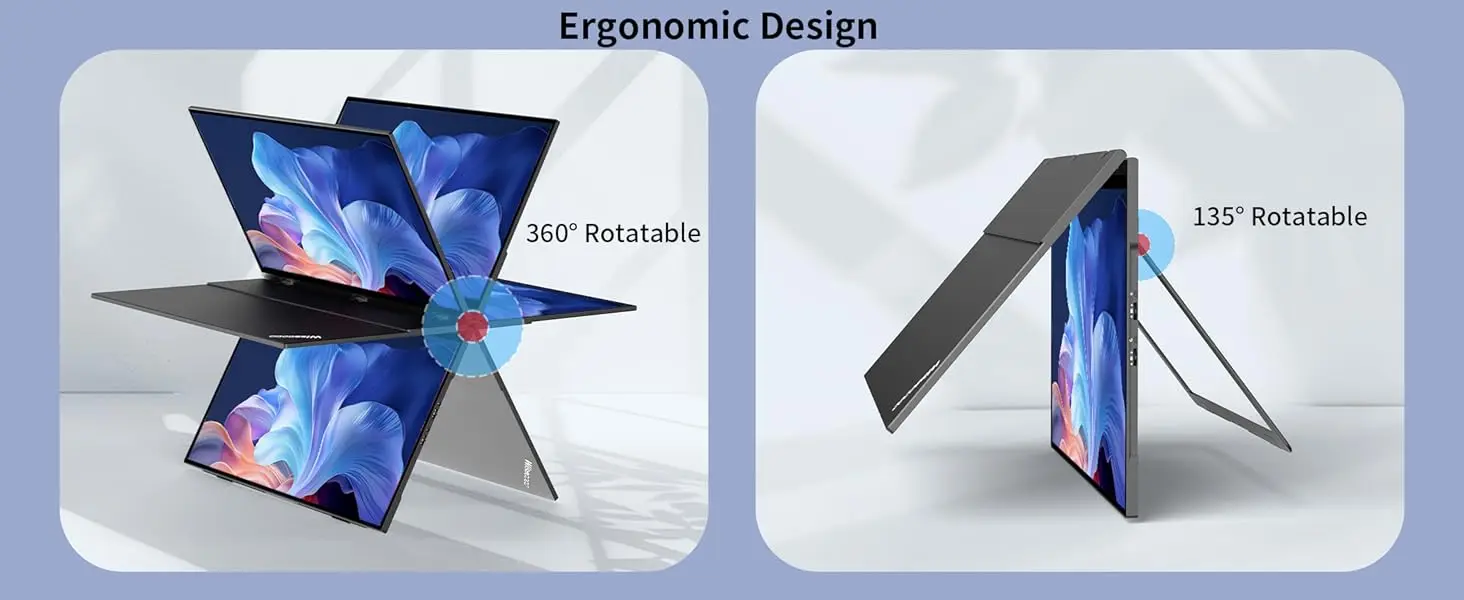
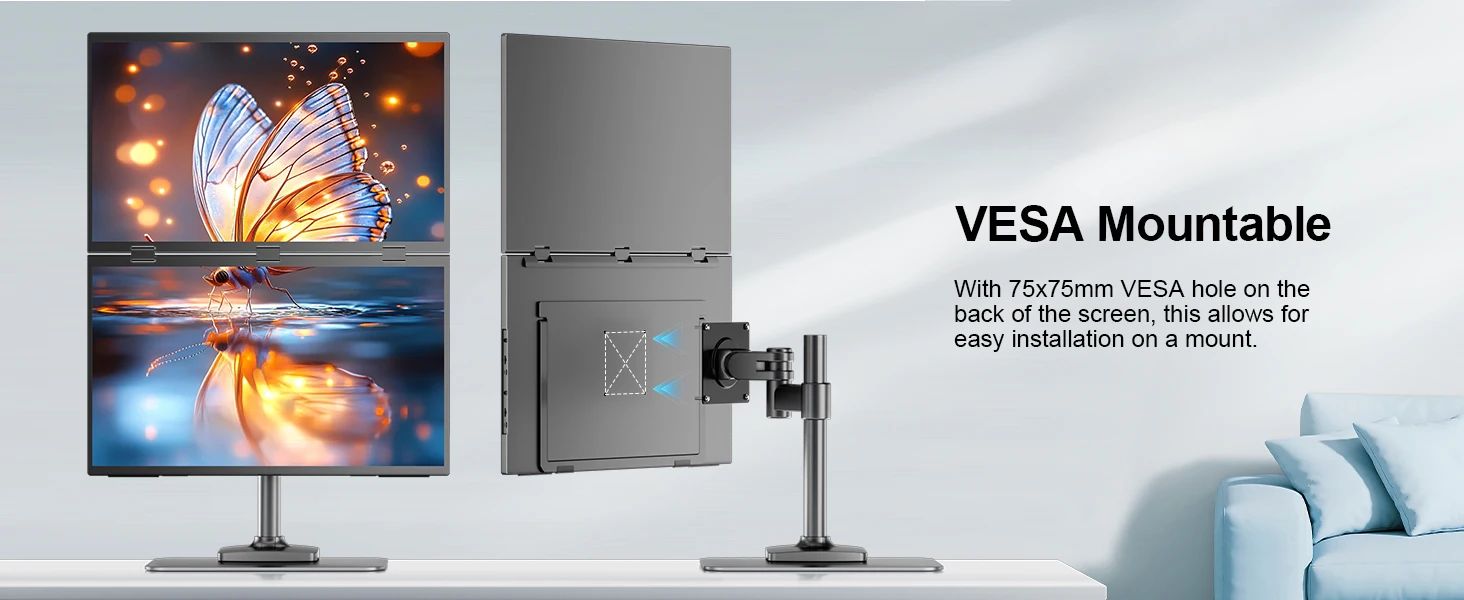
Its built-in 180° adjustable stand allows you to easily tilt, swivel, and pivot the monitor, ensuring that you can find the perfect ergonomic position for your needs; With VESA (100x100 mm, M4*5 mm) support, you can easily mount the monitor to a wall, monitor arm, or any other VESA-compatible mounting system; Especially valuable for users looking to save desk space or create a multi-monitor setup
Driver-Free Setup: Plug & Play! Multi-Mode Freedom
No drivers needed – truly plug and play! Seamlessly compatible with macOS & Windows. Instantly switch between three modes: Extend (dual-screen workflow), Duplicate (mirrored display), or Combine (ultra-wide canvas). Transition effortlessly between work and play.
What's in the box?
1 x Monitor
1x HDMI cable (4K)
2 x C-C line
1 x PD45W power supply
1 x Instruction manual
Specifications:
Model: Δ / Delta Plus
Refresh Rate: 100Hz
Screen Size: 23.8 inch
Resolution: 1920 × 1080 (FHD)
Display Ratio: 16:9
Viewing Angle: 178°
Panel Type: IPS
Contrast Ratio: 1000:1
Brightness: 300 cd/m²
Color Gamut: 120% sRGB
Color Depth: 16.7M(8bit)
Rated Power: 14W
Material: Aluminum
Built-in Speaker: Yes, 2*8Ω 1W
Built-in Battery: No
Vesa: Yes, 100*100mm@M4*5mm
Diaplay Area Size: 527.04(W)×296.46(H) mm
Net Weight: 4.3 kg
Interface
1 * Standard HDMI (signal source)
2 * Type C (fully functional type C) can provide power and transmit signals
1 * TYPE-C (signal source)
Support Single Type-C Cable For Display & Power Device Model
- Mobile Phones Support USB 3.1:
For Samsung: Samsung Galaxy S8, S8+, S9, S9+, S10, S10+, S10e,S20,S20+,S20 Ultra,S21,S21+,S21 Ultra,S22,S22+,S22 Ultra, Note 8, Note 9,Note 10
For Huawei: P50 Pocket/40 Pro/40/30/20/10/9 Series, Mate X/Xs/X2/40 Pro/40/30/20/10/9 Series, Honor Note 10,Honor Magic V/3/Pro/Pro+/4/4 Pro/4 Ultimate;
For SONY: Xperia 1 / 1 II/1 III/1 IV/5/5 II/5 III/10 III/Pro/Pro-I;
For OnePlus: 7/7 Pro/8/8 Pro/9/9R/9 Pro;
For OPPO: Find X3 Pro/Reno 10x Zoom/Reno 5G/R17 Pro (OPPO RX17 Pro in Europe);
For LG: V60/V50/V40/V35/V30/V30+/V20 Series,G8/G7/G6/G6+(with Dec 2018 update)*functionality has not been tested*/G5 Series,Q8;
For HTC: 10/U Ultra/U11/U11+/U12+/U19e,Exodus 1;
For ASUS:ROG Phone/Phone II/Phone 3/Phone 5/Phone 5s Series,ZenFone 3 Ultra,ZenFone AR,ZenFone Ares;
For Motorola: Edge+/Edge S (China variant)/Moto G100 (global version for European market)/ Edge 20 Pro/30 Pro(global variant)/X30;
For Xiaomi: Black Shark 2/3/4;
For ZTE: Axon 9 Pro/10 Pro,Nubia Red Magic 6S Pro/7/7 Pro;
Others: BlackBerry Key2,BQ Aquaris X2,Essential Phone,Fairphone 4,Lenovo Legion Phone Duel/2 Pro/Duel 2,NOKIA 9 PureView, Microsoft Lumia 950/950 XL, HP Elite x3,Razer Phone/Phone 2,Fairphone 4;
*NOTE: If you can not find your devices above, please use IOS/Android to HDMI Adapter for connecting.
- Laptops Support Thunderbolt 3 or USB 3.1:
For Apple: Apple MacBook Pro (Late 2016) and newer,Apple MacBook Air (Late 2018) and newer ;
For Huawei: MateBook D/X/X Pro/E/13, MagicBook;
For ASUS: ZenBook, U4100UN, U5100UQ, ROG Series;
For HP: EliteBook Folio G1, Spectre 13,ZbookZbook Studio;
For Dell: G3/G5/G7 Series, Inspiron 5000/7000 Series, XPS12/13/15;
For Lenovo: Thinkpad E580/T470/T470s/T480/T480s/X1 Carbon (2017-2019);
For MIUI: Air 12.5"/133.3", Pro 15.6", MI Game NoteBook
For Google: ChromeBook Pixels
For Razer: Blade Stealth Series (All)
For Microsoft: Surface Book 2
Others: Acer Swift 5,MSI GS60 6QE,Gigabyte Aero 15x/15 x9/15 y9;
*NOTE: If you can not find your devices above, please use mini HDMI cable instead.
Q:The screen flickers or goes black during use.
1.lt is generally caused by an insufficient power supply.The monitor require highpower support.Please use the original cable included to power the monitor.
2. lf you use a power bank to power the monitor, please confirm whether the power ofthe power bank reaches 45w or above. In addition, if you need a power bank, pleasecontact us
3.lf there is external interference, please try to move speakers and other equipmentaway;
4.Please try to set the device refresh rate to 60Hz;5.Cable is defective or damaged.
Q: why does my monitor not turn on?
1.Make sure the cable you use is provided by us, or is compatible with your deviceand is not damaged.
2.Select the correct input source, such as HDMI, Type-C.
3.lf you are using a Type-C signal source, please ensure that the Type-C port of yourdevices support both power and signal transmission; and make sure that the cable isconnected to the monitor's second Type-C port, not the first.
4.This may be caused by insufficient power supply.It is recommended to use anexternal power supply above PD45w.
Q:Why is Link mode missing when connecting via HDMI?
HDMI connections only support Mirror mode, Extended mode, and Split mode. Link mode and the other three modes are only supported when connected via a full-function USB-C cable.
Q: lt says "no signal", what to do?
1. When connecting with a USB-C cable, make sure your device supports USB3.1./Thunderbolt 3.please add a Mini HDMl to HDMl cable for signal transmission.
2.Please make sure to use the original cables.
3.Please try another device.lf it still fails, please tell us for a replacement.Q:Touch operation on the monitor, but applied to the computer.
lmportant Tips:
lf you find any issues with your monitor, please contact us before returning it. We will help you solve your problems and tryour best to make you satisfied. We take full responsibility for our products.
lf there are any defects that cannot be solved, we will refund or send you areplacement.
Description
Description
SPECIFICATIONS
Application: Laptop
Black and White Response Time: 14 ms
Bracket Type: Swivel Lift Bracket
Brand Name: Uperfect
Brightness: 300cd/m
Built-in Speaker: Yes
Certification: CE,FCC,RoHS,UL,pse
Contrast Ratio: 1000:1
Display Ratio: 16:9
Display Size: 23.8"
Feature: Speaker,Gaming
High-Dynamic Range: Other
High-concerned chemical: none
Horizontal Viewing Angle: 178°
Interface Type: Type-C
Matrix color depth: 8 bit
Number of Items: 1
Origin: Mainland China
Panel Type: IPS
Pixel Pitch: 0.285mm
Plug Type: EU Plug
Products Status: STOCK
Refresh Rate: 100Hz
Refresh rate sync technology: AMD FreeSync
Resolution: 1920x1080
Response Time: 12ms
Screen Type: WLED
Screen curvature: NONE
Screen surface: MATT
Shape: others
Uperfect Model: Delta
VESA (Hole spacing ): 100*100mm
VESA Screw hole specifications: M4*5mm
Vertical Viewing Angle: 178°
UPERFECT Delta 23.8" 100Hz Dual Monitor (No Driver Needed)
Vibrant Colors & Smooth Performance with 100% sRGB and 100Hz Refresh Rate
With 120% sRGB color coverage, this monitor delivers vibrant, true-to-life colors, making it ideal for graphic design, photo/video editing, and creative tasks. The 100Hz refresh rate ensures smooth performance, reducing motion blur for a better experience during gaming, fast tasks, or video editing.
Dual-Screen Flexibility vs. Traditional Large Monitors
This 23.8-inch dual-screen monitor offers more screen real estate while saving desk space compared to traditional large single-screen monitors. Perfect for multitasking, work, study, and creative projects, you can view multiple apps and documents at once without cluttering your workspace.Note:Please make sure you’re powering the monitor by the original power adapter we provided in the package.
Effortless Plug-and-Play Compatibility
No drivers are needed—just plug and play. Compatible with both macOS and Windows systems, it supports three display modes: duplicate, extend, and splice. This versatility makes it perfect for meetings, presentations, or multitasking across different applications.Product size: 21.33*12.71*0.65 in (folded)
Adjustable Stand & VESA Mount
Its built-in 180° adjustable stand allows you to easily tilt, swivel, and pivot the monitor, ensuring that you can find the perfect ergonomic position for your needs; With VESA (100x100 mm, M4*5 mm) support, you can easily mount the monitor to a wall, monitor arm, or any other VESA-compatible mounting system; Especially valuable for users looking to save desk space or create a multi-monitor setup
Driver-Free Setup: Plug & Play! Multi-Mode Freedom
No drivers needed – truly plug and play! Seamlessly compatible with macOS & Windows. Instantly switch between three modes: Extend (dual-screen workflow), Duplicate (mirrored display), or Combine (ultra-wide canvas). Transition effortlessly between work and play.
What's in the box?
1 x Monitor
1x HDMI cable (4K)
2 x C-C line
1 x PD45W power supply
1 x Instruction manual
Specifications:
Model: Δ / Delta Plus
Refresh Rate: 100Hz
Screen Size: 23.8 inch
Resolution: 1920 × 1080 (FHD)
Display Ratio: 16:9
Viewing Angle: 178°
Panel Type: IPS
Contrast Ratio: 1000:1
Brightness: 300 cd/m²
Color Gamut: 120% sRGB
Color Depth: 16.7M(8bit)
Rated Power: 14W
Material: Aluminum
Built-in Speaker: Yes, 2*8Ω 1W
Built-in Battery: No
Vesa: Yes, 100*100mm@M4*5mm
Diaplay Area Size: 527.04(W)×296.46(H) mm
Net Weight: 4.3 kg
Interface
1 * Standard HDMI (signal source)
2 * Type C (fully functional type C) can provide power and transmit signals
1 * TYPE-C (signal source)
Support Single Type-C Cable For Display & Power Device Model
- Mobile Phones Support USB 3.1:
For Samsung: Samsung Galaxy S8, S8+, S9, S9+, S10, S10+, S10e,S20,S20+,S20 Ultra,S21,S21+,S21 Ultra,S22,S22+,S22 Ultra, Note 8, Note 9,Note 10
For Huawei: P50 Pocket/40 Pro/40/30/20/10/9 Series, Mate X/Xs/X2/40 Pro/40/30/20/10/9 Series, Honor Note 10,Honor Magic V/3/Pro/Pro+/4/4 Pro/4 Ultimate;
For SONY: Xperia 1 / 1 II/1 III/1 IV/5/5 II/5 III/10 III/Pro/Pro-I;
For OnePlus: 7/7 Pro/8/8 Pro/9/9R/9 Pro;
For OPPO: Find X3 Pro/Reno 10x Zoom/Reno 5G/R17 Pro (OPPO RX17 Pro in Europe);
For LG: V60/V50/V40/V35/V30/V30+/V20 Series,G8/G7/G6/G6+(with Dec 2018 update)*functionality has not been tested*/G5 Series,Q8;
For HTC: 10/U Ultra/U11/U11+/U12+/U19e,Exodus 1;
For ASUS:ROG Phone/Phone II/Phone 3/Phone 5/Phone 5s Series,ZenFone 3 Ultra,ZenFone AR,ZenFone Ares;
For Motorola: Edge+/Edge S (China variant)/Moto G100 (global version for European market)/ Edge 20 Pro/30 Pro(global variant)/X30;
For Xiaomi: Black Shark 2/3/4;
For ZTE: Axon 9 Pro/10 Pro,Nubia Red Magic 6S Pro/7/7 Pro;
Others: BlackBerry Key2,BQ Aquaris X2,Essential Phone,Fairphone 4,Lenovo Legion Phone Duel/2 Pro/Duel 2,NOKIA 9 PureView, Microsoft Lumia 950/950 XL, HP Elite x3,Razer Phone/Phone 2,Fairphone 4;
*NOTE: If you can not find your devices above, please use IOS/Android to HDMI Adapter for connecting.
- Laptops Support Thunderbolt 3 or USB 3.1:
For Apple: Apple MacBook Pro (Late 2016) and newer,Apple MacBook Air (Late 2018) and newer ;
For Huawei: MateBook D/X/X Pro/E/13, MagicBook;
For ASUS: ZenBook, U4100UN, U5100UQ, ROG Series;
For HP: EliteBook Folio G1, Spectre 13,ZbookZbook Studio;
For Dell: G3/G5/G7 Series, Inspiron 5000/7000 Series, XPS12/13/15;
For Lenovo: Thinkpad E580/T470/T470s/T480/T480s/X1 Carbon (2017-2019);
For MIUI: Air 12.5"/133.3", Pro 15.6", MI Game NoteBook
For Google: ChromeBook Pixels
For Razer: Blade Stealth Series (All)
For Microsoft: Surface Book 2
Others: Acer Swift 5,MSI GS60 6QE,Gigabyte Aero 15x/15 x9/15 y9;
*NOTE: If you can not find your devices above, please use mini HDMI cable instead.
Q:The screen flickers or goes black during use.
1.lt is generally caused by an insufficient power supply.The monitor require highpower support.Please use the original cable included to power the monitor.
2. lf you use a power bank to power the monitor, please confirm whether the power ofthe power bank reaches 45w or above. In addition, if you need a power bank, pleasecontact us
3.lf there is external interference, please try to move speakers and other equipmentaway;
4.Please try to set the device refresh rate to 60Hz;5.Cable is defective or damaged.
Q: why does my monitor not turn on?
1.Make sure the cable you use is provided by us, or is compatible with your deviceand is not damaged.
2.Select the correct input source, such as HDMI, Type-C.
3.lf you are using a Type-C signal source, please ensure that the Type-C port of yourdevices support both power and signal transmission; and make sure that the cable isconnected to the monitor's second Type-C port, not the first.
4.This may be caused by insufficient power supply.It is recommended to use anexternal power supply above PD45w.
Q:Why is Link mode missing when connecting via HDMI?
HDMI connections only support Mirror mode, Extended mode, and Split mode. Link mode and the other three modes are only supported when connected via a full-function USB-C cable.
Q: lt says "no signal", what to do?
1. When connecting with a USB-C cable, make sure your device supports USB3.1./Thunderbolt 3.please add a Mini HDMl to HDMl cable for signal transmission.
2.Please make sure to use the original cables.
3.Please try another device.lf it still fails, please tell us for a replacement.Q:Touch operation on the monitor, but applied to the computer.
lmportant Tips:
lf you find any issues with your monitor, please contact us before returning it. We will help you solve your problems and tryour best to make you satisfied. We take full responsibility for our products.
lf there are any defects that cannot be solved, we will refund or send you areplacement.
Couldn't load pickup availability
Your payment information is processed securely. We do not store credit card details nor have access to your credit card information.


Where technology meets perfection.
Discover cutting-edge electronics that redefine quality and performance. Whether it’s for work, play, or everyday use, our products are built to deliver seamless experiences and long-lasting reliability.
Discover more in our FAQ
Shoot our team an email & we’ll get back to you ASAP
What is the return policy at Digital Dreamz?
What is the return policy at Digital Dreamz?
We want you to be completely satisfied with your purchase from Digital Dreamz. If for any reason you're not happy with your electronics, you can return them within 30 days of purchase for a full refund or exchange.
Do you offer warranties on your products?
Do you offer warranties on your products?
Yes, we offer warranties on most of our products to provide you with peace of mind and assurance of quality. Be sure to check the specific warranty details for each product when making a purchase.
How can I track my order?
How can I track my order?
Once your order has been processed and shipped, you will receive a tracking number via email that you can use to track your package's delivery status.
Do you offer international shipping?
Do you offer international shipping?
Currently, we only offer shipping within the United States. However, we are constantly exploring options to expand our shipping capabilities in the future.
How can I contact customer service at Digital Dreamz?
How can I contact customer service at Digital Dreamz?
You can reach our customer service team by emailing digitaldreamz@gmail.com We are here to assist with any questions or concerns you may have regarding your purchase or our products.